How Does Facilities Drawings Work?
See It in Action
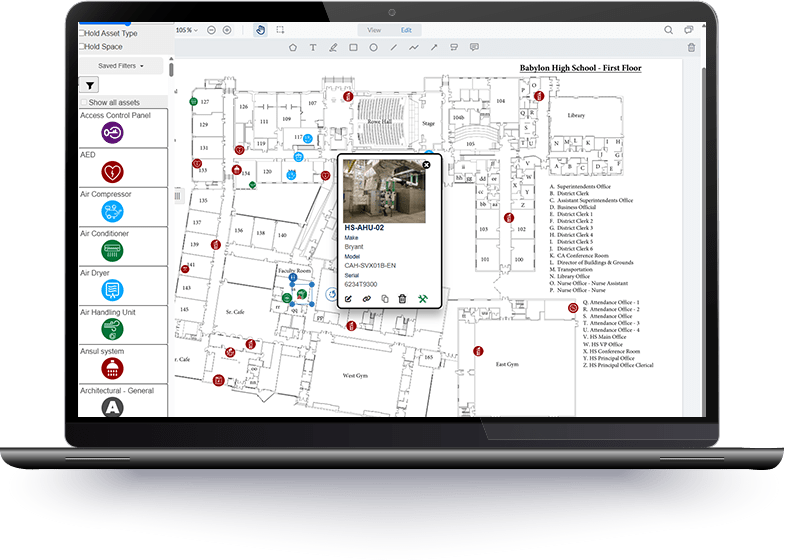
Manage your assets visually and with advanced search and filtering to make sure you are on top of everything. Our tools allow for simple organization of everything within your facilities to ensure everything is running at its best. Watch our video to see the benefits and inner workings of this intuitive, best-in-class, software.
How can we help your district?
Benefits of Facilities Drawings
Improve Communication
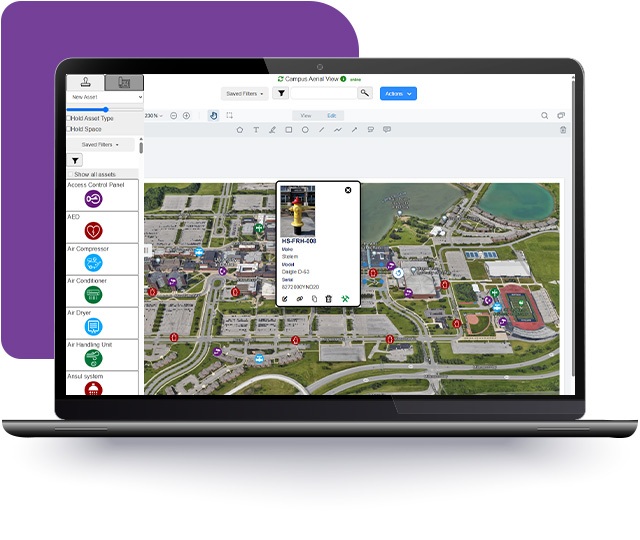
Communicate asset location through interactive floorplans, a digital map for your team.
Save Time
Eliminate the time spent searching for assets inside of your building or system drawings stored away in a closet.
Reduce Expenses
Facilities Drawings is a DIY tool, eliminating the need for expensive site survey tools and services.
Stay Organized
Digitally keep track of all of your assets and the important information that pertains to them. Use simple stamps to place over floorplans of photographs to visually manage or filter for desired results.
Facilities Drawings Emergency Response Plans Use Case
Improve emergency preparedness at your district
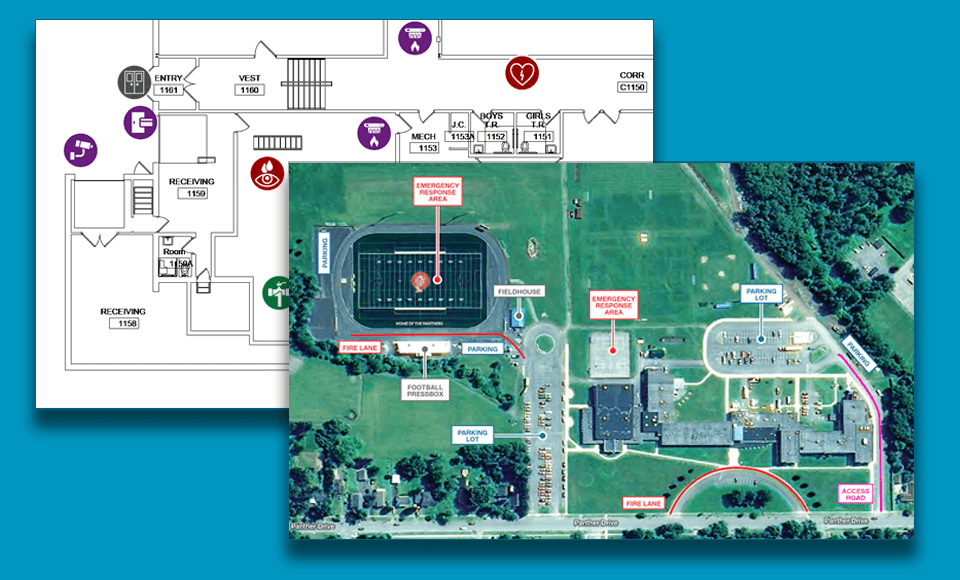
Quickly develop Emergency Response floor plans and area maps that meet requirements with Facilities Drawings. Create floor-plan based views of required facility assets. Annotate map images with integrated editing tools. Enhance student and staff safety with clear, compliant floor plans and area maps for emergency responders.
Asset Type Picker
Facilities Drawings
Place over 175 unique asset stamps on your floor plan drawings to identify the location of your assets in your buildings. Eliminate confusion with a clean and organized look.
Asset Information Repository
Facilities Drawings
Store unique asset data on each individual stamp for quick and easy retrieval of a particular asset’s information. This handy feature lets you quickly look up information on the asset when you click into the stamp.
Filter & Search
Facilities Drawings
Filter your views to only see a specific system or asset type. The interactive floor plan builder comes with robust search and filter functionality which hones in on the asset you’re looking for.
Annotation Tools
Facilities Drawings
Annotate your drawings in clear detail during your building survey. Add shapes, comments, arrows, and call-out boxes to make your message clear. What used to be hard-to-read chicken scratch is now easy and clean for others to see.
Linkage to Work Orders
Facilities Drawings
With a direct to link to Work Orders, your assets pre-populate into Facilities Drawings, making it a snap to pick and place them on your floor plans. You can also seamlessly schedule work orders and PM’s directly from your asset stamps in Facilities Drawings.
Mobile Friendly
Facilities Drawings
Pull up your building survey plan drawings to self-perform your asset surveys or provide Facilities Drawings to your field techs to field verify asset information. Say goodbye to carrying around paper notes.
Evacuation Routes
Facilities Drawings
Create and maintain professional evacuation maps for every school, every room in your district. Update plans in minutes, keep them accessible to staff and first responders, and export, print or share plans digitally.
Offline Capabilities
Facilities Drawings
Add asset record information when surveying in locations around your buildings that have weak or no WiFi coverage. All asset data will automatically transfer into Facilities Drawings and Work Orders once WiFi coverage is restored.
Define Spaces
Facilities Drawings
Outline floor plan areas to easily define specific room numbers and names. These spaces will then be available to easily select and automatically drop asset information into the specified room or area.
Join these districts across the USA.
We’re Growing
School districts across the country are seeing the benefits of Facilities Suite products. Join them to be on the cutting edge of where easy-to-use intersects with affordable and powerful.

Schedule a one-on-one personalized demo.
Take an hour to talk with one of our expert team members for a no-pressure walk-through of the many features Facilities Drawings has to offer. This dedicated time allows you to go in-depth on any questions or features you’d like to understand better.
Schedule a Demo