WHO THIS IS FOR

District Facilities Director
You need one reliable view of what is installed, where it is, what has been fixed, and what needs attention next. You also need stronger evidence for maintenance planning and capital decisions.
Maintenance and Operations Leader
You need technicians to arrive with the right location, asset history, and context instead of losing time hunting for rooms, paper drawings, and prior repairs.
Superintendent
You need capital and safety conversations grounded in building-level evidence, not anecdotes. You want a clearer way to explain deferred maintenance, project priorities, and risk to leadership and the board.

CFO / Finance Leader
You need a more defensible case for where dollars should go first. You want to see where failures cluster, what deferred maintenance is costing, and where better planning can reduce reactive spend.
THE OPERATIONAL REALITY
Most districts are making million-dollar decisions without the data to back them.
Asset records are scattered, floor plans are static, work orders are disconnected from real locations, and capital conversations still start with “we think” instead of documented evidence.
I do not have one reliable record of what is installed, where it is, or what it costs to maintain.
Equipment data lives across spreadsheets, paper binders, and staff memory. There is no single record of what is installed, where it is, or what it has cost to maintain.
My floor plans are static and disconnected from actual maintenance work.
Paper folders and static PDFs do not show asset locations, cannot be updated in the field, and have no connection to maintenance history or work orders.
I cannot clearly show where failures are clustering or defend capital priorities with data.
Without location data, patterns are invisible. The ask is urgent, but not defensible, and boards can tell the difference.
Outcomes districts can prove
Preventive maintenance delivers 12–18% cost savings compared to reactive approaches, and reactive maintenance can cost roughly 3x more than reliability-centered approaches. The districts managing through the deferred maintenance crisis are not the ones with the biggest budgets. They are the ones with the best data.
THE SCALE OF THE PROBLEM
One view of every building
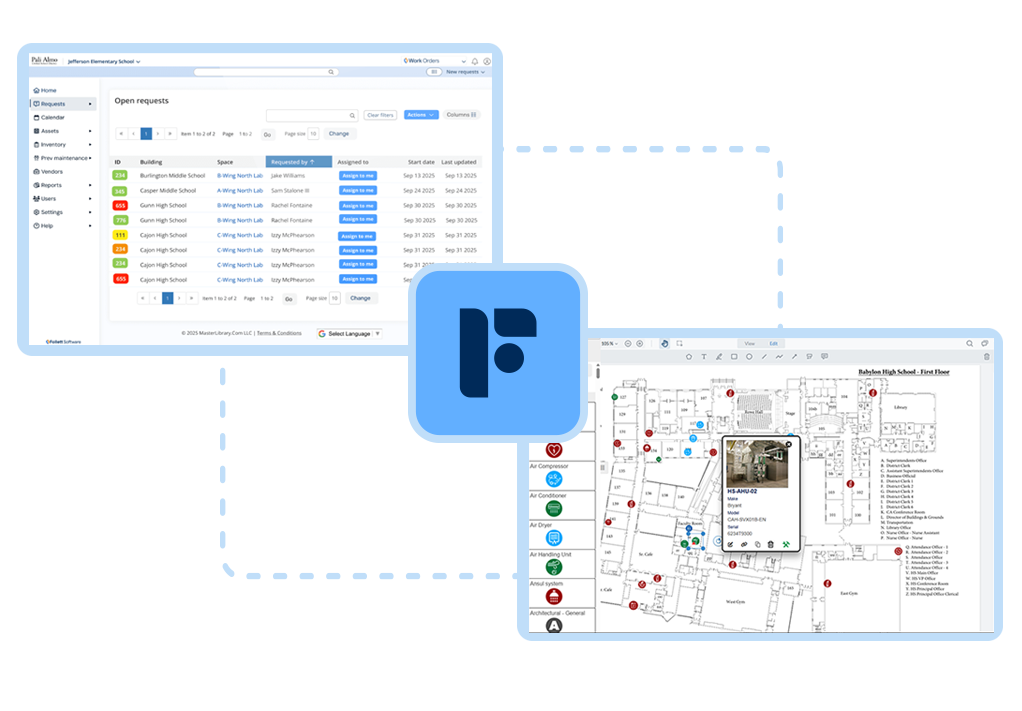
Work Orders and Facilities Drawings are the foundation of building intelligence. Together, they answer the three questions every facilities director needs answered: Where is it? What is its history? What should we do next?

Every request and repair in one place
Every maintenance request, PM task, and repair lives in one queue with full history, submitted, routed, tracked, and closed without paper or phone calls..
Every asset on an interactive floor plan
Live digital floor plans show assets, work orders, and safety details so anyone can open a map and see exactly what is there and what has been done.
Visible patterns that support better planning
Heatmaps and trend reports surface buildings, systems, and assets generating the most requests so leaders can shift from emergency fixes to planned work.
Knowledge that stays in the system
Photos, tags, specs, and history stay with the asset on the floor plan instead of living in paper binders or a retiring technician’s head.
THE PLATFORM
The Bundle for Building Intelligence
Two connected products. One building intelligence system.
The Building Intelligence bundle combines Work Orders and Drawings into a single view of your facilities. Every asset is placed on an interactive floor plan and linked to its maintenance history so your team can see what is installed, what has been done, and what is next.
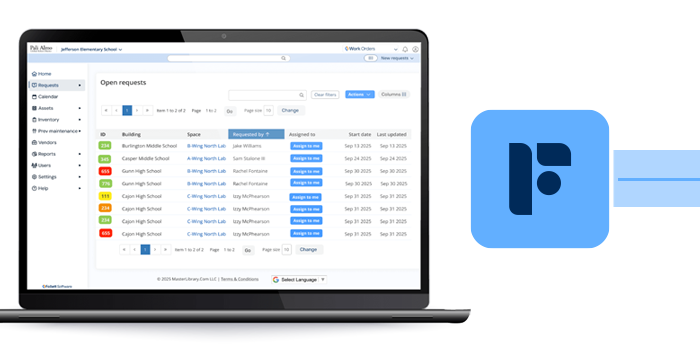
Work Orders
Every request and repair in one place
Every maintenance request, PM task, and repair lives in one queue with full history, submitted, routed, tracked, and closed without paper or phone calls.
- Single source of truth for every building
- Context for every work order, including room, equipment, photos, and history
- Trend reporting and heatmaps that surface repeat failures
- Leadership visibility into backlog, response times, and spend by building
- Connected to Facilities Drawings so every ticket and asset lands on a floor plan
Facilities Drawings
Every asset on an interactive floor plan
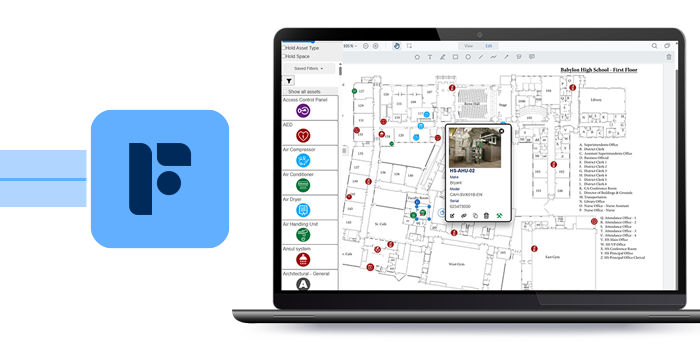
Live, interactive floor plans show assets, work orders, and safety details so teams can stand in a hallway, open a map, and see exactly what is there and what has been done.
- Interactive digital floor plans built from existing PDFs or CAD files
- Hundreds of asset types geo-located with photos, tags, specs, and history
- Mobile and offline access for technicians in the field
- Work orders and hotspots visualized directly on the map
- Knowledge that outlives staff turnover
How building intelligence works in real life.
WHY THE PLATFORM MATTERS
The value is not just having better records. It is having one workflow where every ticket, asset, and decision is grounded in a live map of your buildings.
- Buildings are surveyed and live maps are stood up with tagged assets, photos, and details in both systems.
- Tickets are logged once and land on the right building, room, and priority.
- Technicians roll out with the correct room context before they leave the shop.
- Asset records show photos, specs, warranty, and work history so staff arrive with the right parts and plan.
- Heatmaps turn ticket history into district-wide planning decisions.

WHAT HAPPENS NEXT
A short working demo built around your buildings.
In a short working demo, Follett can pull up your buildings in Drawings, walk through real Work Orders examples, and show exactly how Building Intelligence works for a district like yours.

Review your current asset and maintenance workflow
Look at where asset records, floor plans, and maintenance history live today and where the biggest blind spots are.
See how live maps and work orders connect
Walk through how tickets, assets, rooms, photos, and history connect in one operational flow.
Identify the fastest path to value
See whether your district should start with the bundle alone or accelerate implementation through asset surveys and PM setup.
See how this would work in your district.
In a short working demo, Follett can pull up your buildings, walk through real examples, and show exactly how Building Intelligence works for a district like yours.
Schedule a Facilities Suite DemoFREQUENTLY ASKED QUESTIONS
What Districts Ask Before They Buy
-
The Building Intelligence bundle combines Work Orders and Drawings into a single view of your facilities. Every asset is placed on an interactive floor plan and linked to its maintenance history so your team can see what is installed, what has been done, and what is next.
-
No. Most districts start by importing existing floor plans from PDFs or CAD exports, then place assets, capture photos, and keep drawings current over time.
-
Once base drawings and assets are in the system, maintenance teams update locations and add new assets as part of normal work. Changes are made directly in Drawings, so the map stays current without a separate project or dedicated administrator.
-
Because assets, photos, and work history live on the floor plan, new staff can see exactly what is in a space and what has been done before. When a veteran technician retires, that knowledge stays in the system.
-
Instead of guessing where to invest, leaders can see where failures and work orders are concentrated by building, wing, or system. Heatmaps make problem areas visible and support stronger cases for capital projects, bonds, and insurance claims.